
10 Online Community Engagement Ideas You'll Want To Steal

Picture this: You’ve built an online community, but it feels like you’re talking into the void. Posts get a handful of likes, members lurk without contributing, and conversations stall out. If this sounds familiar, you’re not alone! Engagement is one of the hardest parts of community management. The good news is that with the right strategies, you can turn silence into meaningful participation.
Imagine logging into your community to find members starting their own conversations, sharing insights, and helping one another without you needing to spark every post. That’s what real online community engagement looks like, and you can make it happen when you take the right approach!
In this guide, we’ll explore practical ways to move your community from quiet to thriving. Here’s what you’ll find:
- Online Community Engagement FAQ
- Smart Online Community Engagement Ideas to Try
- Choosing The Right Online Community Engagement Technology
By the end, you’ll have a clear roadmap you can start using right away to create more energy, conversation, and value in your community!
Get the insights you need to strengthen your online community.
Download your free copy of the Association Community Benchmark Report.
Online Community Engagement FAQ
First, let’s answer the most common questions that community managers and association leaders ask about building and sustaining an engaged online community. These answers will help you create a more connected, active membership base.
What Is Online Community Engagement?
Online community engagement measures the level of interaction, participation, and connection among members within a digital space. It’s what transforms a community from a quiet forum into a dynamic, self-sustaining environment.
At its core, engagement happens when:
- Members contribute and connect. People don’t just join and watch. They actively post and reply to others, because they see ongoing value.
- Connections between members deepen. Members move past surface-level interactions and begin forming friendships and collaborative ties that make the community feel like a true network.
- Members see the value of community. Members feel supported, learn from peers, and gain insights or recognition that make participation worthwhile.
These pillars come together to form a strong community where members engage in rich discussions and relationships that fuel growth for everyone involved.
What Is a Community Engagement Strategy?
A community engagement strategy is a planned approach to fostering participation and connection within your online community. Instead of posting content at random and hoping for activity, a strategy gives structure and direction to your efforts. A good strategy outlines:
- Who you want to engage. Define your priority audiences, such as new members, long-time contributors, or specific interest groups.
- How you’ll encourage participation. Use prompts, programs, events, and recognition systems that invite members to contribute and keep coming back.
- What success looks like. Establish clear goals and metrics, such as increasing first-time posts, boosting replies per discussion, or raising event attendance.
An effective engagement strategy also accounts for the member experience across their entire journey. How will you welcome brand new members while also recognizing long-time contributors? By aligning your activities with member needs and organizational goals, your strategy becomes a roadmap for building a thriving community.
Why Is Online Community Engagement Important?
Member engagement is crucial to retaining members. According to the Association Member Experience Report, members cite lack of engagement and lack of value as top reasons for considering leaving their associations. When managed well, your online community can provide a key source of that engagement.
Community engagement turns a directory of names into a network that drives outcomes for everyone involved. When members are truly engaged, both individuals and organizations see lasting benefits:
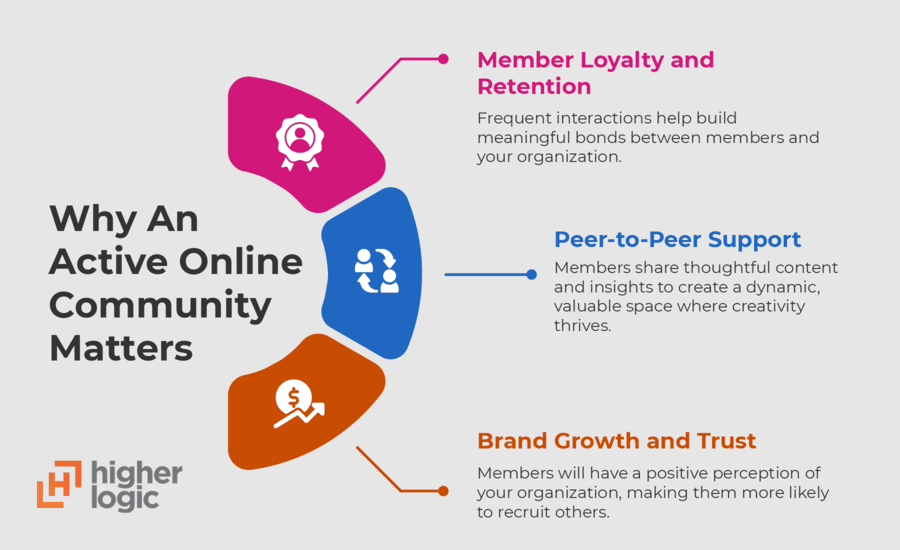
- Member Loyalty and Retention: Frequent interactions help members build meaningful bonds, increasing their sense of belonging. Feeling like their participation matters makes them more likely to stay involved.
- Peer-to-Peer Support: Members answer questions, share resources, and offer advice to one another. This makes it easier for staff to fuel conversations and fosters an environment where innovation and creativity flourish.
- Brand Growth and Trust: Positive experiences inside the community translate into stronger brand advocacy, making members more likely to recommend your organization to others.
When engagement is strong, your community becomes a trusted space where members find value, and your organization builds long-term success.
What Causes Low Online Community Engagement?
Low engagement usually happens when members don’t see enough value or direction in the community. Here are a few common issues that associations and community managers face:
- Lack of fresh or relevant content
- An unclear purpose or weak value proposition
- Poor onboarding for new members
- No recognition or rewards for participation
Addressing these issues helps create a more inviting space where members want to contribute and return.
How Can You Measure Online Community Engagement?
The best way to measure engagement is by tracking participation levels and member satisfaction. You might look at key metrics related to:
- Active Members: The number of people logging in and contributing regularly
- Content Participation: Posts, replies, and reactions that show conversations are happening
- Event Involvement: Registrations and attendance for community events
Together, these metrics give you a clear picture of whether your community is thriving and where you may need to adjust your strategy. Luckily, effective online community software will automatically track engagement metrics for you.
Ready to grow a stronger, more active community?
Build the flourishing community your members deserve with Higher Logic.
Smart Online Community Engagement Ideas to Try
As community managers, leaders, and builders, we know that an online community can’t be launched and then left to grow on its own. It takes dedicated community management, including content planning, to create, sustain, and grow engagement.
In this list, we’ll share a few creative online community engagement strategies you can use to do just that. We’ll cover the classics, like Ask Me Anything (AMA) sessions and seed content, but we’ll also dive into some lesser-known tactics that can yield great rewards.
1. Ask Me Anything Sessions
An “Ask Me Anything,” or AMA, is a regular event on your content calendar where users get the opportunity to ask questions and learn from a fellow community member or applicable industry expert.
An AMA is a great way to create community-exclusive content, giving members a chance to speak to an expert and understand how other professionals or industry leaders solve problems. Plus, with an AMA, you generate a large amount of content at one time that you can repurpose and share across other channels.
To host one, identify potential topics of interest by leveraging your community data, including:
- Top discussions
- Frequently used tags
- Common search terms
- Most popular downloaded resources
- Community polls
This data can also help you find your internal community experts! Don’t forget to look ahead at your calendar of events when planning. Do you have a product release coming down the pipeline or a new policy being introduced on Capitol Hill? An AMA can be a great way to highlight these initiatives (while still educating your community members).
When Would You Use This Idea?
We recommend doing AMAs no more than quarterly. If you do them too often, you may tire your members out. Genesys’s online community manager took a creative spin on an AMA by creating a Q&A Show where he brought on a staff expert to answer support questions in the community.
How Can You Use This Strategy?
- 4 Weeks Before: Select a topic and expert. This could be an external expert you invite to your community or a community member who knows their stuff. Then, coordinate a date for your AMA session.
- 2 Weeks Before: Train the expert on how to use your community platform and what kinds of questions to expect. When you promote the event, collect questions from community members who will attend.
- 1 Week Before: Continue promoting the event in your newsletter, social media, and online community. Send the pre-submitted questions to your expert, so they can prepare. Remember to close the discussion thread for the AMA until the event starts.
- Day of AMA: Hop on a call with the expert and open the discussion thread within your online community. At this point, post any pre-submitted questions and the expert’s answers. Be sure to let community members still submit questions in real-time. Remember to close the discussion thread at the end of the AMA.
- 1 Week After: Send a thank-you email to the expert. Repurpose the content generated during the AMA for your newsletter, social media, or online community discussions.
Any Secrets to Success?
- A good AMA will accept questions in advance and in real time.
- Try making it a multi-part AMA! Seed questions in the community as you would normally, but instead of answering them in the community thread, host a live webinar where experts answer the questions and demo any applicable responses. Record the session and share it in the thread. Bonus: Create clips of the recorded webinar to add as responses to the questions posted in the community (extending the life of your content even further).
2. Tip Tuesday
Engaging new community members is a key ingredient to community success, and a big component of that onboarding is ensuring they know how to effectively leverage your online community platform. Tip Tuesday is a recurring “how-to” focused content item where you share technology tips, like “here’s how to respond to a discussion thread with a private message.”
Since something as simple as confusion with the platform could be a barrier to participation, Tip Tuesday is a great way to help community members who might be less tech-savvy get involved.
Make sure the thread isn’t just informative! Based on the advice you share, ask community members to complete an action that will benefit the community. For example, challenge them to take an action like updating their profile photo, recommending or liking a favorite thread, and replying to that thread.
When Would You Use This Idea?
Depending on other planned content calendar items, Tip Tuesday can be effective weekly, bi-weekly, or monthly. There’s no harm in repeating content, especially if your online community platform features change and you want to help members understand how to use them. You might also consider leveraging a dedicated #TipTuesday tag to populate a content feed on your homepage visible to new members or to be leveraged as a site FAQ.
How Can You Use This Strategy?
- 2 Weeks Before: Review community metrics to identify areas where members might be having trouble (e.g., low resource downloads might indicate members are having trouble finding the library). You can also review frequent questions received from community members. Based on this, determine your #TipTuesday topics and cadence for the month.
- 1 Week Before: Create each #TipTuesday template before the first scheduled posting date. At least a day before, create and schedule the post.
- Posting Day: Make sure the tip is posted to the Open Forum community as a new discussion post. Monitor community members’ responses to the post.
- 1 Month After: Monitor community health metrics to see if there’s been any improvement in online community engagement.
Any Secrets to Success?
- Review the commonly searched terms in your community.
- When there’s a new feature or product update for your community platform, help members understand the changes by releasing explanations in bite-sized pieces.
- Create an onboarding email series to engage new community members, and feature your favorite #TipTuesday threads in one of the emails.
3. Seed Content
Seed content is content like questions or resources that a community manager can post on behalf of the community’s members.
The 90-9-1 rule of community engagement says that you’ll usually only see 1% of community members post content organically (though among Higher Logic customers, this number is more like 23%). Having seed content to rely on helps create organic member-to-member engagement in the community.
The most common way to get seed content is to identify a subset of members (beta testers, chapter/user group leaders, champions, most active, those that have replied to a thread but have not started one, etc.) and send a personalized email including the following prompt:
- If you were in a room full of other [insert industry here] professionals, what is one question you would ask?
- If one doesn’t come to mind, what is one professional pain point you are experiencing?
When Would You Use This Idea?
The best time to use a seed question is when you experience an ebb in activity. You might see this happen when your community first launches or during a busy holiday season.
You can strategically post it when your community needs an engagement spark. When members consistently see other members posting, that drives more organic, member-generated content.
How Can You Use This Strategy?
- Setup: Establish a recurring automation rule (a Higher Logic Community feature) that goes out to an identified member segment asking for seed content (e.g., “I’m looking for conversation starters in our online community! Can you help me out?” or “If you could sit down with another person who has done your same job, what would you like to ask them?”)
- 1 Day Before: Review your content calendar and choose the best seed item for the next day.
- Posting Day: Post the question or topic to the community using impersonation (available in Higher Logic) on the members’ behalf. Track the responses and identify any notable responses to repurpose.
Any Secrets to Success?
Get questions straight from your community members to ensure seed content is natural and seems organic, rather than something you’ve just made up. This can make discussions deeper and more authentic.
Use these drivers to help you brainstorm:
- What are People Doing? What are you working on now? Do you have any upcoming events?
- What are People Thinking? What books have you read? What have you learned recently?
- What are People Feeling? What do you like/dislike about ___? What do you think about ___?
- What are People Fearing? What are you struggling with? What is your biggest challenge?
4. Member Spotlights
Try posting a thread that features a member of your community based on predetermined criteria. You might look for:
- Most Engaged Members
- Top Discussion Contributors
- Top Library Contributors
- Community Champions or Ambassadors
- Industry Experts
Your community members, especially those who want to build their brand or professional networks, will love being recognized and learning about other members. This is a great way to put faces to names and make that personal connection.
For example, for a Women in Tech community, you might share how specific members got to where they are in their careers and any lessons they had for the group.
When Would You Use This Idea?
Try using this engagement tactic on a monthly basis. Members, customers, and employees continually cite the importance of learning from people like them. This structured touchpoint not only provides an avenue to recognize your brand advocates, but can be leveraged to highlight how your company or organization is responsible for the success of its members/users.
How Can You Use This Strategy?
- Preparation: Determine your member spotlight criteria. Then, create templates for your community thread and an individual member outreach template.
- Start of the Quarter: Identify three members to highlight in the next few months. Send initial outreach to the ones you’ve identified.
- 1 Week Later: Draft the member spotlights for approval. If they don’t respond, follow up with them to verify if they’re still interested.
- 2 Weeks Later: Add the approved threads to your content calendar.
- Posting Day: Add the thread to your online community. You can also schedule all member spotlight posts at once!
5. Inactive Member Outreach
Encourage your online community’s disengaged members (AKA your “lurkers” and inactive users) to take more overt action. To do that, you might:
- Try to understand why they’re not participating. Is it because they don’t know how or what to do? Identify easy call-to-actions (CTAs) for them to accomplish (this is where Tip Tuesdays may come in handy).
- Target specific members. Automation tools are a great way to do this. You might encourage individuals to respond to a quick poll or post a profile picture.
- Create smaller discussion groups. This could make interacting in the larger group less intimidating.
We recommend that our customers who haven’t seen a community member on the site in a while try contacting them using automation rules or re-engagement campaigns. We’ve seen success rates upwards of 30%. More often than not, these users stay re-engaged.
When Would You Use This Idea?
Even the most active communities will have members who drift away over time. Community managers should look to re-engage members when they notice patterns such as:
- Drops in Participation: Members stop posting, replying, or logging in as frequently as before.
- Event No-Shows: Once-regular attendees no longer register or participate in community events.
- Silent Segments: Entire groups (like chapters, committees, or interest areas) show little activity.
Reaching out in time can bring members back before they disengage for good.
How Can You Use This Strategy?
- 2 Weeks Before: Identify inactive members using your community’s analytics or CRM. Segment them by level of inactivity (e.g., 30, 60, or 90 days). Draft a re-engagement plan with simple calls-to-action like replying to a welcome-back post, taking a poll, or registering for an upcoming event.
- 1 Week Before: Prepare your outreach materials. This could include a tailored email, a community announcement, or a spotlight thread designed to make inactive members feel included.
- 1 Day Before: Schedule or queue your communications across channels (email, newsletter, community platform). Double-check that your links and calls-to-action are clear and simple.
- Day Of: Publish your re-engagement content or send the email. Monitor responses closely and reply quickly to members who rejoin the conversation.
- 1 Week After: Measure results—track logins, posts, or event registrations from the targeted group.
6. Quarter in Review
Create a dedicated highlight thread for community activity. Think of it as an “in community” newsletter that not only provides the opportunity to recognize contributors but promotes additional community activity.
There are two reasons this online community engagement strategy is effective:
- Recognition: Increase the likelihood of additional participation and community advocacy by publicly recognizing a member’s contribution to the community. Recognition by an expert is a common motivator for community involvement.
- Community Value: Value must be evident in a community for members to stay engaged. They’re asking themselves, “Why should I join and participate in this community?” and “What value will it bring to me as a member?” This thread provides the opportunity to showcase that value in a digestible and mutually beneficial way. Consider leveraging these highlights to promote the community in external channels as well.
The goal of the thread is not to spark discussion, but to increase awareness. Typically, metric impact will be seen with site logins, highlighted thread discussion activity, downloads (if applicable), and overall views.
If the content is shared externally, you may also see an increase in community membership and/or site visits from non-members.
When Would You Use This Idea?
As the name implies, this activity can be done quarterly. You could also do this monthly if your first few seem to be really popular with members.
How Can You Use This Strategy?
- Preparation: Decide whether you’ll run a quarterly or monthly highlight post. Draft a repeatable template (e.g., “Top Discussions,” “Most Helpful Members,” “Biggest Wins”) and confirm what metrics you’ll include.
- 1 Week Before: Gather data from your community platform—such as engagement stats, popular threads, and event attendance—and plug it into your template. Collect member stories or quotes if you plan to feature them.
- 2-3 Days Before: Finalize the draft and prepare visuals or screenshots if you want to make the post more engaging.
- Posting Day: Publish your Quarter in Review thread, tag contributors who were featured, and invite members to add their own reflections.
- 1 Week After: Repurpose highlights for newsletters, social media, or slide decks for leadership. Archive the post so members can easily find past reviews.
7. Company Corner
One of the key elements of community success is organization-wide buy-in. Company Corner is an online community engagement strategy that gives you the chance to nurture those important organizational relationships. You could do your Company Corner as a one-time thread or expand it to a monthly week-long series.
Your goal should be to feature every department at least once a year. You might need to highlight one department multiple times (e.g., a product team every time they update the product roadmap).
Here are some examples of what you could do for specific departments:
- Membership > Benefits Review > Ask members what benefits they’d like to see added.
- Product > Roadmap Development > Host an in-community beta testing opportunity and ask members to share their questions and feedback via the dedicated thread.
- Policy and Government > Showcase a Formulated Policy > Ask your members if they believe any points are missing from a drafted policy, and what stands out to them as effective.
- Support > Demo of Top Support Questions Answered > Have members vote from a list of support cases, host a live webinar to walk through the solution, and then post the recording to the thread. (For an example, check out how Genesys does this in their SaaS community!)
- Executive Team > Org Strategic Plan > Share and invite questions around your organization’s strategic plan.
- Marketing > Case Studies > Have marketing share customer or member case studies. Members may enjoy hearing about how other customers or members have solved a challenge they’re struggling with.
- HR > Career Advice > Run an AMA-style workshop via the community where expert(s) share career advice.
When Would You Use This Idea?
You could do Company Corner as a one-time thread or expand it to a week-long series, once a month.
How Can You Use This Strategy?
- Preparation: List all main departments of the organization and identify a key contact for each group. Then, create a questionnaire for a department representative to complete with the goal of identifying a topic and potential content that may be shared. Then, meet with stakeholders (individually or as a group) to share goals, review the content process, and demo the community for alignment.
- 2 Weeks Before: Review their responses and draft the post on their behalf if needed. Share the draft with the department for feedback and revisions.
- 1 Week Before: Send the final version for approval and confirm who will monitor and respond to member comments once it’s live.
- Posting Day: Publish the Company Corner thread. If you posted on their behalf, ensure a representative from the department is ready to jump in and answer questions.
- 1 Week After: Follow up with the department to thank them for contributing and capture any key takeaways. Consider repurposing highlights in your newsletter or social media.
8. Coffee & Chat
Create a dedicated thread that is opened for a specific time (typically one day a week) for members to share their personal and professional updates. Instead of doing a thread, you could create a sub-community that your community members can always access.
Members might post about:
- Adopting a new pet
- Buying a house
- Getting married
- Changing jobs
- Moving to a new state and needing recommendations
Subscription rates won’t be affected by non-topical discussion, and member-to-member connections will increase. This is also a fantastic opportunity to nurture community manager-member relationships. See below for details on that point!
When Would You Use This Idea?
Maintaining a high, steady subscription rate is a top priority when managing a community. And one of the best ways to keep engagement high is through effective community moderation.
But you don’t want your members to never have the chance to get to know each other on a personal level. The solution? Create a dedicated time and space for personal discussions so that the community stays focused, but members still have the chance to create personal bonds.
How Can You Use This Strategy?
- Preparation: Draft an introduction for your thread (e.g., “It’s Coffee Talk Time! Each Friday, we invite YOU to share recent personal and/or professional milestones – big or small! Adopted a puppy? Get a promotion? Change roles? Host a webinar? Write a book? Have a baby or get married? Move to a new state? Share! Bonus points for pictures!”)
- The Day Before: Open the thread and add a request for new announcements by saying something like, “Coffee Talk Time! Share your latest announcement now!” This will guarantee that the post makes it into the daily digest (a Higher Logic Community feature).
- Posting Day: Monitor the thread, reply to comments, and tag or congratulate members to keep the conversation flowing. Attempt to personalize each reply. For example: @INSERT NAME bravo on your recent promotion! Let us know if you would be interested in joining us for an AMA.
- End of Day: Close the thread by saying something like, “Join us next Friday to share your latest announcements!”
9. Winner! Contests
If you want a “rewarding” way to engage your online community members, then try hosting a contest. This type of engagement touchpoint can come in many forms. Here are a few examples to get you started:
- Trivia: Share organization-related facts for users to guess which ones are true or false. The first person with all the answers correct wins.
- Treasure Hunt: Supply a series of clues that require users to search your community and share community links as answers.
- Riddles: Use emojis to describe different vendors that will be present at an upcoming conference, and the first member to guess them all right wins. (Bonus: The winner could get a swag bag filled with items sponsored by the vendors).
- Community Activity Promotion: Add a photo to your profile and be entered to win a prize. Start a thread and @ mention another member to answer your question, and you’ll be entered into a raffle.
- Community Referrals: Invite someone to join the community. To be entered into a raffle, they must “@ mention” the new member in the contest thread and welcome them to the community (a twist on the classic “Introduce Yourself” thread). Make it so that both the existing and new members are entered to win the prize!
Contests are a great online community engagement idea because they’re naturally interactive. Additionally, there are ways to craft the contest so that the requested effort helps the community, as outlined in the examples.
Remember, prizes don’t always need to be physical items. Try awarding a virtual lunch with an expert, VIP access to an upcoming conference, or a donation to a charity of the winner’s choice.
When Would You Use This Idea?
Contests work best when you want to spark energy, encourage friendly competition, and spotlight member contributions. They’re especially useful during slower engagement periods, around big events or campaigns, or when launching a new initiative.
For contests to be effective, we recommend they occur sporadically (no more than one per quarter).
How Can You Use This Strategy?
- Preparation: Identify up to four contests to host for the year and add to your content calendar. Look for opportunities to partner with other departments or big events like conferences. Then, select relevant prizes for each contest.
- 3 Weeks Prior: Generate and complete the post about your contest, and verify that the contest reward is ready.
- Day of Contest Launch: Add the thread to your online community. You can also add the contest to your social channels! For example, you might say, “Win a chance to attend the upcoming Master Show for FREE! Join the XYZ Community and enter to win [LINK TO CONTEST]!”
- End of Contest: Remind users that the contest will be closing. Then, close the thread by thanking participants, announcing the winner(s), and coordinating the prize collection.
10. Community Leadership Programs
For this online community engagement strategy, you need to have groups of community members. For example, you might have a group of community super users or champions, who are your most highly engaged community members. Depending on what type of organization you are, you might have chapters (associations) or user groups (software companies).

Whoever they are, it’s time to get them involved! Have group members sign up for a certain day where they commit to starting a community discussion. To sweeten the deal, offer them the opportunity to promote their specific group or initiative in the thread.
For example:
- The Washington D.C. ABC Chapter recently hosted a meet up where members discussed the elements that are needed for effective internal communication. What would you add?
- Element One
- Element Two
- Element Three
- The London 123 User Group met this past Friday to review the recent XYZ release. Here is a demo that one of our members recorded of the new feature. [INSERT VIDEO] We generally agreed that this enhancement solves Problem A and Problem B. Have you gotten a chance to test it out? What was your impression?
Members want to see other members posting. When you put together a super user program or you’re wondering how to get a chapter or user group involved, starting community discussions is a quick and uncomplicated way to participate.
When Would You Use This Idea?
This online community engagement tactic is a structured and organized way to get other members involved in starting community discussions. With more organic contributions, you generally end up with more organic responses (and more discussion threads).
How Can You Use This Strategy?
- Preparation: Define your program goals, outline leader roles, and create a simple content calendar and playbook to guide contributions. Recruit potential leaders like super users or subject-matter experts and walk them through expectations.
- 1 Week Prior: Confirm commitments, assign posting dates, and give leaders access to the calendar so they can prepare their posts.
- Posting Day: Have leaders share their content according to the calendar, or post on their behalf using Impersonation (a Higher Logic feature). Then support their efforts by responding, highlighting their contributions, and encouraging member interaction.
Choosing the Right Online Community Engagement Technology
Your technology will make your online community strategies possible! The right platform makes it easier to spark conversations, track engagement, and create a seamless experience for members. The wrong one can leave people frustrated and disengaged, no matter how good your content is.
When evaluating options, look for:
- Engagement Features: Tools like discussion forums, polls, events, recognition systems, and analytics help keep conversations active.
- Ease of Use: Members and staff should be able to navigate, post, and connect without extra training.
- Integrations: Choose a platform that connects with your existing CRM, email, or event tools to reduce friction.
- Reporting: Stay on top of online community engagement with dashboards and customizable reports that help monitor activity and trends.
Higher Logic does all this and more! We offer two solutions catered to different types of organizations. Higher Logic Thrive is designed for powering online communities for associations and similar nonprofit membership organizations. Meanwhile, Higher Logic Vanilla is all-in-one customer community software designed for businesses.
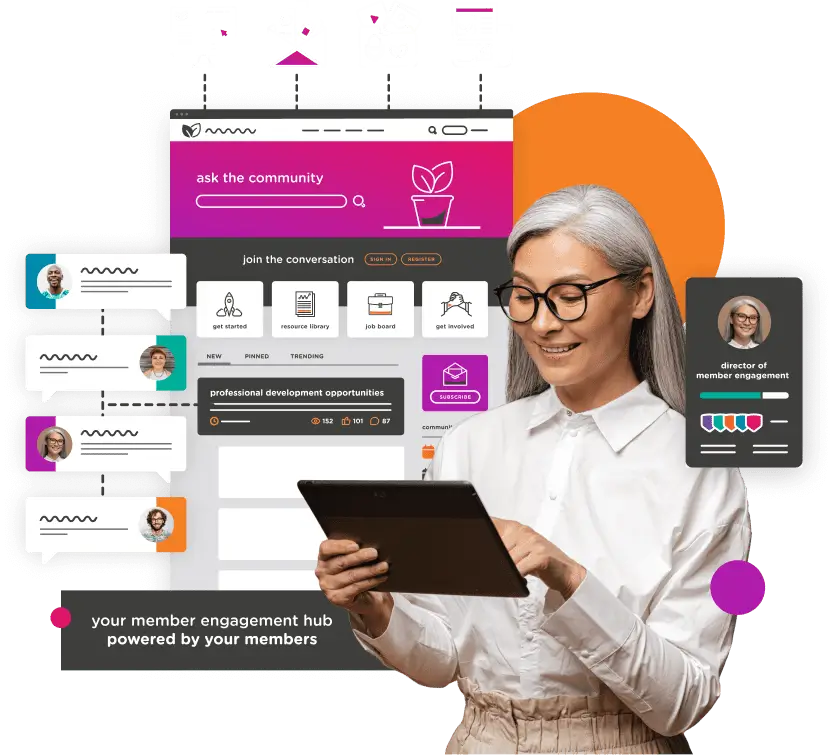
With the right technology, you’ll have everything you need to turn your engagement strategies into a vibrant, sustainable community.
Searching for the best online community software? Look no further.
Join thousands of organizations using Higher Logic.
Wrapping Up: Try Out Your Favorite Online Community Engagement Ideas
And there you have it – the big list of our favorite online community engagement strategies. Try each of these activities, proactively measure online community engagement, and see which tactics generate the most activity in your community.
Once you find your favorites, repeat them. This helps you create a habit of engagement in members. After all, a key part of community building is creating ritual since it helps members know what to expect from the community.
Before you launch your online community engagement strategy, check out these helpful resources:
- 15 Standout Online Community Software Solutions for 2025. Explore the top platforms shaping online community management, so you can choose the right solution for your organization.
- 13 Member Engagement Ideas to Improve Your Strategy. Get creative ideas you can put into action right away to boost participation, strengthen connections, and keep your community active.
- What Is a Customer Community? Examples & How to Build One. Learn the basics of customer communities, see real-world examples, and discover step-by-step guidance for building one that delivers value.